SQL Joins Explained with Diagrams
This article demonstrates SQL join operations — Left Join, Right Join, Inner Join, Full Outer Join — intuitively with Venn diagrams.
- Ryan
- 3 min read
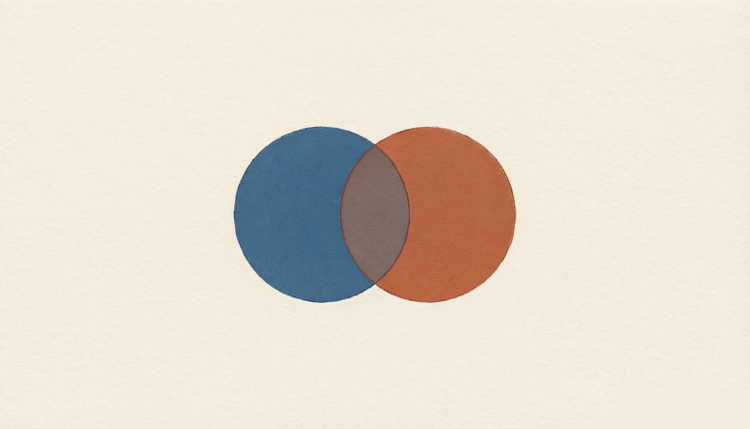
If you’ve ever been confused by the various join operations in SQL — Left Join, Right Join, Inner Join, and so on — then this article is for you. It demonstrates the effect of each join statement with Venn diagrams, which is straightforward and easy to remember. Original post
Suppose there are two tables, Table A and Table B, with the following data: Table A:
| id | name |
|---|---|
| 1 | Pirate |
| 2 | Monkey |
| 3 | Ninja |
| 4 | Spaghetti |
Table B:
| id | name |
|---|---|
| 1 | Rutabaga |
| 2 | Pirate |
| 3 | Darth Vader |
| 4 | Ninja |
Let’s look at the effect of each join.
1. INNER JOIN
Inner Join matches rows of the left table (Table A) with rows of the right table (Table B) according to the On condition, and only returns rows to the result set when at least one matching row exists in both the left and right tables. In other words, Inner Join computes the intersection of the two tables.
SELECT * FROM TableA
INNER JOIN TableB
ON TableA.name = TableB.name
Result set:
| id | name | id | name |
|---|---|---|---|
| 1 | Pirate | 2 | Pirate |
| 2 | Ninja | 4 | Ninja |

2. Full JOIN
In some databases, FULL JOIN is called FULL OUTER JOIN (Note: MySQL does not support FULL JOIN with an ON condition, nor the FULL OUTER JOIN keyword). The FULL OUTER JOIN keyword returns all rows that meet the condition from the left table (Table A) and the right table (Table B); if a row in Table A has no match in Table B, or a row in Table B has no match in Table A, the related columns return NULL.
SELECT * FROM TableA
FULL OUTER JOIN TableB
ON TableA.name = TableB.name
Result set:
| id | name | id | name |
|---|---|---|---|
| 1 | Pirate | 2 | Pirate |
| 2 | Monkey | null | null |
| 3 | Ninja | 4 | Ninja |
| 4 | Spaghetti | null | null |
| null | null | 1 | Rutabaga |
| null | null | 3 | Darth Vader |

Another example:
SELECT * FROM TableA
FULL OUTER JOIN TableB
ON TableA.name = TableB.name
WHERE TableA.id IS null
OR TableB.id IS null
Result set:
| id | name | id | name |
|---|---|---|---|
| 2 | Monkey | null | null |
| 4 | Spaghetti | null | null |
| null | null | 1 | Rutabaga |
| null | null | 3 | Darth Vader |

3. LEFT JOIN
In some databases LEFT JOIN is called LEFT OUTER JOIN. This keyword returns all rows that meet the condition from the left table; if the right table has matching rows they are returned as well, and if no matching row is found in the right table, the result columns related to the right table return NULL.
SELECT * FROM TableA
LEFT OUTER JOIN TableB
ON TableA.name = TableB.name
Result set:
| id | name | id | name |
|---|---|---|---|
| 1 | Pirate | 2 | Pirate |
| 2 | Monkey | null | null |
| 3 | Ninja | 4 | Ninja |
| 4 | Spaghetti | null | null |

Another example:
SELECT * FROM TableA
LEFT OUTER JOIN TableB
ON TableA.name = TableB.name
WHERE TableB.id IS null
Result set:
| id | name | id | name |
|---|---|---|---|
| 2 | Monkey | null | null |
| 4 | Spaghetti | null | null |

4. RIGHT JOIN
In some databases RIGHT JOIN is called RIGHT OUTER JOIN. Opposite to LEFT JOIN, this keyword returns all rows that meet the condition from the right table; if the left table has matching rows they are returned as well, and if no matching row is found in the left table, the result columns related to the left table return NULL.
Since RIGHT JOIN’s principle is essentially the same as LEFT JOIN’s, I won’t go into further detail here.
Frequently Asked Questions
What is the difference between INNER JOIN and LEFT JOIN?
When should I use FULL OUTER JOIN?
Does RIGHT JOIN differ from LEFT JOIN in practice?
A RIGHT JOIN B is identical to B LEFT JOIN A — just with the columns in a different order. Most developers prefer LEFT JOIN for readability, since the ‘preserved’ table is always on the left.