SEO for Beginners: Improve Your Website Rankings from Zero
An SEO / GEO primer for engineers: how search engines work, rendering, status codes, structured data and AI search — technical SEO grounded in official documentation.
- Ryan
- 24 min read

An SEO / GEO Primer for Engineers (2026 Edition)
Written for engineers responsible for website architecture, rendering and release pipelines. This article prefers official sources from search engines and protocol maintainers, and keeps confirmed rules separate from experimental advice.
0. Why Engineers Need to Understand SEO / GEO
SEO (Search Engine Optimization) is not just an operations job. Whether a website can be reliably crawled and correctly indexed is shaped first and foremost by its engineering:
- Rendering determines when crawlers can obtain the actual content;
- HTML, links and structured data help search engines understand pages;
- HTTP status codes and canonicals help decide whether a page is valid and which URL is the primary version;
- Sitemaps, internal links and cache-refresh mechanisms affect how efficiently content is discovered;
- Performance, mobile support and security affect real user experience.
So rather than saying “70% of SEO is an engineering problem”, put it this way: technical SEO is the infrastructure that gives content search visibility; it cannot replace good content, but it decides whether good content gets the chance to be discovered and correctly understood.
GEO (Generative Engine Optimization) generally means improving the chances that content is discovered, understood and cited in AI search or AI answers. It is not currently a unified standard defined jointly by the platforms. Google’s official position on AI Overviews and AI Mode is: no extra AI-specific files or special schema are needed — existing SEO fundamentals still apply.1
Let’s start from the most basic question: how do search engines actually work? Once you understand this main thread, many of the optimization techniques that follow stop being rules to memorize and become natural conclusions.
1. How Search Engines Work
All SEO optimization is essentially about working on the stages through which a search engine processes content. Using Google as an example, the whole process can be simplified as:
Crawl → Render / Index → Serve

- Crawl: Googlebot discovers URLs through links, sitemaps and other means, and requests pages along with the resources they need.
- Render / Index: Google analyzes text, images, video and other content; pages that depend on JavaScript may also go through a rendering step. Fetching a page does not guarantee it will be indexed.
- Serve: The search system chooses results based on signals such as relevance, quality, availability and context.
Google officially emphasizes that crawling, indexing and serving are none of them guaranteed behaviors.2
| Stage | Optimization goal | Common tactics |
|---|---|---|
| Crawl | Help crawlers find valid URLs | Crawlable internal links, sitemap, robots.txt, correct status codes |
| Render / Index | Make key content easy to understand | Accessible HTML, semantic structure, canonical, structured data |
| Serve & rank | Truly satisfy search intent | Original content, reliable sources, good experience, clear authorship |
1.1 The Crawl Budget Misconception
Crawl capacity and crawl demand do exist, but Google says most websites don’t need to worry specifically about crawl budget; it mainly deserves focused management for large sites, sites that update extremely fast, or sites with large numbers of duplicate/parameterized URLs. Small content sites should first sort out internal links, sitemaps, status codes and content quality.3
That wraps up the brief tour of how search engines work. Next comes the area where engineers most often step into traps: if your page is client-side rendered, can the crawler actually see the content?
2. Rendering: When Can Crawlers See Content
A claim that circulates widely online about this topic is “crawlers only fetch HTML and don’t execute JS, so search engines can’t see JS-rendered content”. That conclusion is too absolute. More accurately:
- Google can execute JavaScript, and splits its processing of JavaScript applications into stages such as crawling, rendering and indexing; rendering may not happen immediately.4
- Different search and AI products have different crawling and rendering capabilities, and don’t disclose all of them.
- Therefore, making key content, titles and links obtainable from the server-returned or pre-rendered HTML is the strategy with higher compatibility and a smaller failure surface; but CSR pages are not necessarily unindexable by Google.
That said, the advice above already throws around abbreviations like CSR. Rendering is a topic that easily confuses people precisely because the terms SPA, CSR, SSR and SSG are always talked about as if they were the same thing. To untangle them, let’s first think about two distinct questions:
- When a user opens or switches pages, what does the browser actually receive?
- When and where is the HTML content of the page generated?
The first question leads to traditional multi-page websites versus SPAs; only the second question leads to rendering modes like CSR, SSR, SSG and ISR. They are related, but they are not the same classification.
2.1 What Happens During a Page Request
To display a webpage, a browser typically needs three kinds of resources:
- HTML: content and structure — headings, paragraphs, links and image placements;
- CSS: visual styles such as colors, font sizes, spacing and layout;
- JavaScript: interaction, state management, client-side routing and dynamic data requests.
In the most traditional webpages, when a user visits a URL, the server directly returns HTML that already contains the content. The browser can show the main content even before JavaScript executes; a crawler receiving the same HTML can also parse the title, content and links directly.
Modern web apps, in pursuit of instant search, drag-and-drop editing, navigation without refresh and similar experiences, hand more and more work to JavaScript. The HTML the server first returns may contain only a page shell, with the content appearing only after the browser downloads and executes JavaScript and calls APIs. This is where the core difference that search engines must deal with arises: does the key content already exist in the first response, or does it only exist after JavaScript runs?
That’s also why, when engineers discuss SEO, they shouldn’t just ask “do you use React/Vue”, but should keep asking: what HTML does the server actually return? When is the content generated? Does switching pages request a new document?
2.2 From Traditional Multi-Page Sites to SPAs
First, look at “how pages switch”. Traditional sites usually take the Multi-Page Application (MPA) approach: each URL corresponds to one page document, and when a user clicks a link, the browser requests new HTML from the server and reloads the whole page.
Traditional multi-page site (MPA):
Click link → request a new URL → server returns new HTML → browser reloads the whole page
This is straightforward and reliable, but on interaction-heavy sites, every switch reloads the document and client-side state is hard to carry across. So SPAs (Single-Page Applications) appeared: after the browser first loads the app, subsequent navigation is handled mainly by JavaScript updating content and URL within the current document, usually without a full reload.
Single-page application (SPA):
Click link → JavaScript fetches data or code → current page updates → URL updates in sync
“Single page” here doesn’t mean the site has only one business page; it means multiple routes usually reuse the current browser document. Users can still see a homepage, category pages and detail pages, each with different URLs — the switching just happens on the client side.
The advantage of SPAs is smooth switching and easy retention of client state, making them suitable for admin dashboards, email clients, online editors and other complex apps. But if public content depends entirely on client-side JavaScript, you add uncertainty around first-paint wait time, runtime failures and crawler rendering; if wildcard routes are handled poorly, nonexistent URLs may uniformly return 200, creating soft 404s.
However, SPA describes the navigation model, not where content is rendered. The most commonly confused sets of terms actually answer different questions:
| Concept | The question it answers | Meaning |
|---|---|---|
| MPA / SPA | How do pages switch? | Request a new document, or update within the current document via JavaScript |
| CSR | Where is the HTML content mainly generated? | In the browser |
| SSR | Where and when is the HTML content generated? | On the server, upon receiving a request |
| SSG | When is the HTML content generated? | Pre-generated at build time |
So the inference that “using an SPA means pure CSR and therefore bad SEO” doesn’t hold up. A site can absolutely return complete HTML via SSR on the first visit and then use SPA-style navigation afterwards. Frameworks like Next.js and Nuxt often adopt exactly this combination: content in the first response, plus smooth in-app transitions. React, Vue or Angular are just development tools; using them doesn’t mean a site necessarily uses pure CSR.
With navigation sorted out, let’s look at where and when HTML is actually generated.
2.3 Five Common Rendering Modes
Once you separate “how pages switch” from “where content is generated”, the five modes below become easy to understand — they have just one core difference: at what time and in what place is the HTML generated, already carrying its content.

Static HTML
The server directly returns HTML files that already contain the content. Delivery is simple and cache-friendly, but updates typically require regenerating or republishing. Well suited to documentation, blogs and detail pages that don’t change often.
CSR (Client-Side Rendering)
The server first returns an HTML shell; the browser executes JavaScript, calls APIs, and then generates the main content. It suits highly interactive apps, but JavaScript errors, blocked resources, rendering timeouts or routing mistakes can all affect content discovery.
SSR (Server-Side Rendering)
The server generates content-bearing HTML at request time. Modern frameworks usually also perform hydration on the client: reusing the server-generated DOM and attaching events and state to make the page interactive.
SSR suits public pages that change frequently, but server computation, caching and failure handling become more complex.
SSG (Static Site Generation)
HTML is generated at build time and, after publishing, served by a CDN or static server. It’s fast, stable and easy to cache, but updates require rebuilding or some form of incremental publishing.
ISR / Incremental Static Regeneration
On top of static delivery, some pages are updated by time or by event. ISR is a term popularized by Next.js; other stacks can achieve similar semantics through cache invalidation, background generation and atomic replacement.
ISR doesn’t necessarily mean “update as soon as data changes”, nor does it guarantee fixed minute-level freshness; actual behavior depends on the framework model, caching, trigger mechanism and deployment platform.5
2.4 Dynamic Rendering and Cloaking
Google currently treats dynamic rendering (returning a pre-rendered version to specific crawlers) as a temporary workaround rather than a long-term recommendation, and suggests using SSR, static rendering or hydration instead.6
But returning HTML to crawlers that isn’t exactly identical to what users see does not automatically constitute cloaking. What Google calls cloaking hinges on the intent to deceive the search system by showing substantially different content.7 Whatever approach you take, the main content and the intent of the page should be consistent.
Rendering solves the question of “can the crawler get the content?”. After it gets the content, it also reads a series of signals the page itself emits — which brings us to meta information and HTTP status codes.
3. Page Metadata and HTTP Signals
<title>An SEO / GEO Primer for Engineers | CodeLog</title>
<meta name="description" content="From rendering, status codes, sitemaps and structured data to AI search: understanding technical SEO systematically.">
<link rel="canonical" href="https://codelog.me/seo-beginner-guide/">
<meta name="robots" content="index,follow">
title: should be accurate, concise and able to distinguish the page. Google may rewrite result titles based on the query and page content, so it is not “the blue title that will definitely be shown”.8description: not a direct ranking signal. Google mostly generates snippets from page content and sometimes adopts the meta description; provide a unique, accurate summary and don’t fixate on a specific character count.9canonical: expresses the preferred URL, but it’s a signal, not a binding directive. Redirects, canonicals, sitemaps and internal links should point consistently.10robots:noindexmeans you don’t want the page in the index;nofollowmeans don’t follow the links on the page.index,followis the default behavior and can usually be omitted.
A key trap: if robots.txt blocks Google from crawling a page, Google cannot see the noindex in that page’s HTML. If the goal is to drop out of the index, allow crawling and return noindex, or return 404/410 for deleted pages.11
3.1 Social Sharing Metadata
Open Graph and X Card metadata mainly control social sharing previews. They help the sharing experience, but there is no reliable evidence that they are general GEO ranking or citation signals, and you shouldn’t assume every AI answer card reads these fields.
3.2 Status Codes and Redirects
| Status code | Meaning | Engineering guidance |
|---|---|---|
| 200 | Success | Return only for pages that genuinely exist and serve their main content properly |
| 301 / 308 | Permanent redirect | Use for long-term migrations; a strong signal that the target URL should become the canonical |
| 302 / 303 / 307 | Temporary redirect | Use for temporary hops; Google usually keeps the source URL but weighs duration and other signals |
| 404 | Not found | Nonexistent URLs should genuinely return 404; you can still show a friendly error page |
| 410 | Permanently deleted | Explicitly marks content as removed; both 404 and 410 eventually lead the URL out of the index |
“302s don’t pass any ranking signals” is an oversimplification. Google treats permanent redirects as strong canonical signals and temporary redirects as weaker ones, combining them with other signals.12
If a nonexistent route still returns 200 with “Not Found” copy, search engines may classify it as a soft 404. This is especially common with SPA wildcard fallback routes.
Everything above concerns signals at the level of a single page. Zooming out to the whole-site view, two small files directly shape the crawler’s itinerary: robots.txt tells it where not to go, and the sitemap hands it a list of places it should go.
4. robots.txt and Sitemap
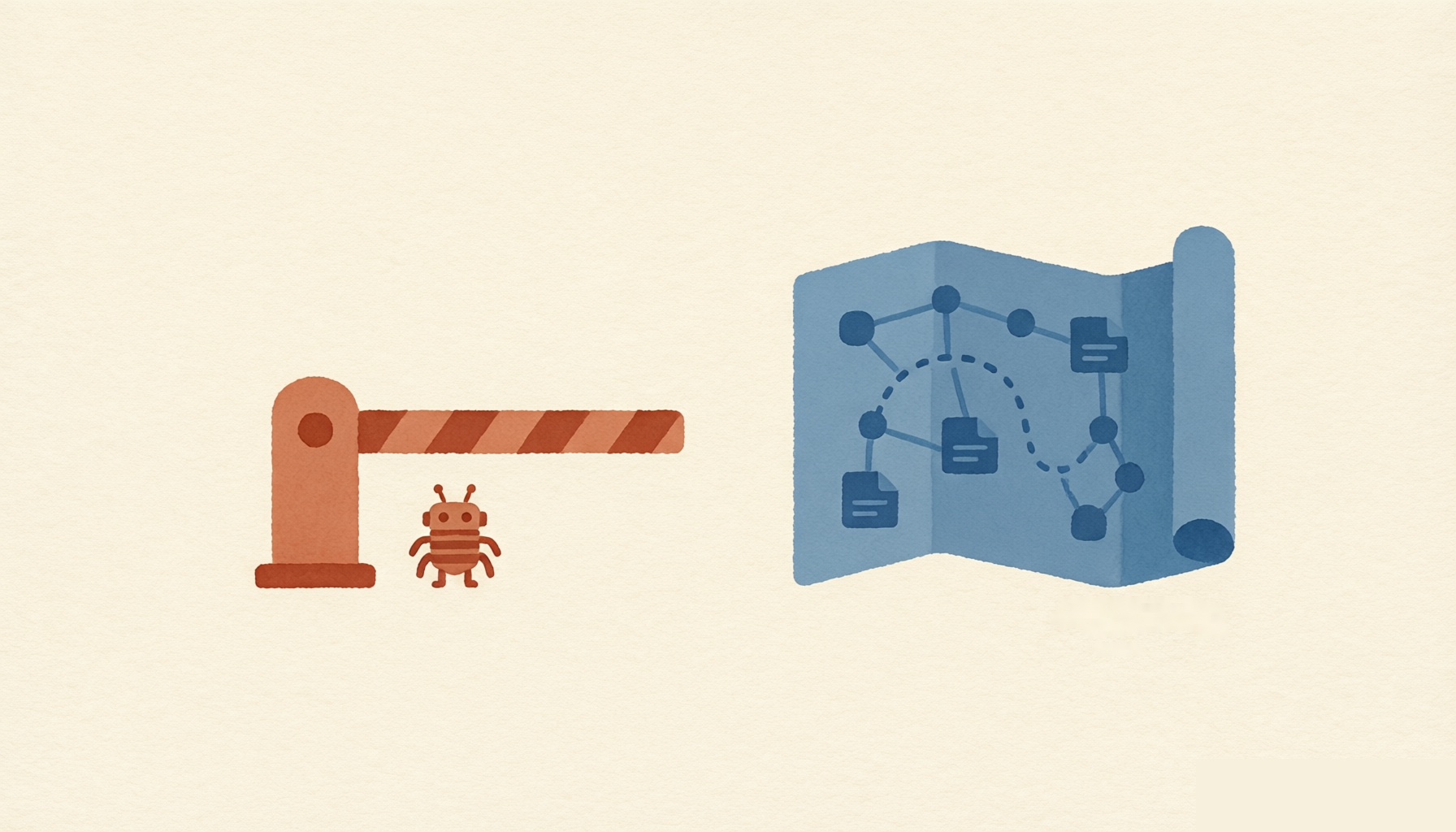
The division of labor in one sentence: robots.txt blocks, the sitemap guides.
4.1 robots.txt Manages Crawling, Not Confidentiality
User-agent: *
Disallow: /admin/

User-agent: GPTBot
Disallow: /

Sitemap: https://example.com/sitemap.xml
- robots.txt is a set of crawling rules honored by compliant crawlers, not a security control; sensitive content must use login authentication.
Disallowblocks crawling but does not guarantee the URL won’t appear in results. If the goal is to stay out of the index, use a crawler-readablenoindexor the correct deletion status code.13- OpenAI uses
OAI-SearchBotfor discovery and display in search results, andGPTBotfor model training control; the two can be configured separately.14 - AI user-agent names and purposes may change; before launch, check each platform’s latest official documentation and verify whether your CDN/WAF blocks anything additionally.
4.2 The Sitemap Provides a List of Canonical URLs
<?xml version="1.0" encoding="UTF-8"?>
<urlset xmlns="http://www.sitemaps.org/schemas/sitemap/0.9">
  <url>
    <loc>https://example.com/game/sumo-shove/</loc>
    <lastmod>2026-08-20</lastmod>
  </url>
</urlset>
- Include only canonical URLs you want indexed;
lastmodshould reflect the last significant modification of the page’s main content, not the time the sitemap was generated; Google uses it for crawl scheduling once the field has proven accurate over time.15- Submitting a sitemap is only a hint; it does not guarantee crawling or indexing.16
- Search Console’s URL Inspection can request re-crawling for a small number of pages.
- The Google Indexing API is not a bulk submission interface for ordinary webpages; officially it is only permitted for pages with
JobPostingor live-streamBroadcastEventmarkup.17 - IndexNow can notify supporting search engines that URLs were added, updated or deleted, but does not guarantee crawling or indexing.18
At this point, crawlers can find the content and see it. We can go one step further: help them understand it — which is the role of structured data.
5. Structured Data: JSON-LD and Schema.org
Structured data describes entities and relationships using a standard vocabulary. Schema.org provides the vocabulary; JSON-LD, Microdata and RDFa are the common formats. Google generally recommends JSON-LD because it’s easier to maintain.
Structured data can help search engines understand content and let qualifying pages earn specific rich results, but it does not guarantee rich results, nor does it mean entering a knowledge graph or being cited by AI.19
<script type="application/ld+json">
{
  "@context": "https://schema.org",
  "@graph": [
    {
      "@type": "VideoGame",
      "name": "Sumo Shove",
      "description": "Push opponents out of the ring.",
      "genre": ["Arcade", "Physics"],
      "image": "https://example.com/images/sumo-shove.jpg",
      "url": "https://example.com/game/sumo-shove/"
    },
    {
      "@type": "BreadcrumbList",
      "itemListElement": [
        {"@type": "ListItem", "position": 1, "name": "Home", "item": "https://example.com/"},
        {"@type": "ListItem", "position": 2, "name": "Arcade", "item": "https://example.com/games/arcade/"}
      ]
    }
  ]
}
</script>
FAQPage is deliberately not included here. Since 2023, Google’s FAQ rich results have generally been shown only for well-known, authoritative government and health websites; even with perfectly written markup, ordinary sites basically never get this treatment.20 If your page genuinely has a user-visible FAQ, you may mark it up semantically — but don’t treat FAQ schema as a GEO shortcut.
Three rules:
- Only mark up content that actually exists on the page and meets the requirements of its type;
- Markup must represent the page’s main visible content and must not mislead;
- Use Rich Results Test to check Google rich results, and Schema Markup Validator for broader Schema.org syntax.
Structured data helps machines read pages, but whether a page deserves to rank well ultimately comes down to two plain questions: is the content good? is the experience good?
6. Content Quality and Page Experience
6.1 Understanding E-E-A-T Correctly
E-E-A-T stands for Experience, Expertise, Authoritativeness and Trustworthiness, with trust being the most important.
But E-E-A-T itself is not a queryable score, nor a standalone ranking factor. Google’s automated systems use many signals to try to identify these qualities; quality raters are used to evaluate how well the systems work, not to directly adjust individual page rankings.21
In practice: clearly state the author and update date; link to primary sources; show real tests, methods and limitations; provide verifiable site and correction information; and apply stricter expert review to YMYL topics such as health, finance and safety.
6.2 Core Web Vitals
| Metric | Meaning | Good threshold |
|---|---|---|
| LCP | Loading experience | ≤ 2.5 seconds |
| INP | Interaction responsiveness | ≤ 200 milliseconds |
| CLS | Visual stability | ≤ 0.1 |
Judgments should be based on real user data, looking at the 75th percentile separately for mobile and desktop.22
SSR/SSG do not guarantee passing CWV. Slow TTFB, large images, blocking CSS/JS, hydration, fonts and ad slots can all drag the metrics down. Rely on CrUX, Search Console, PageSpeed Insights or your own RUM data.
6.3 Other Essentials
- Mobile: Google has fully adopted mobile-first indexing and relies primarily on the mobile version of your content; the mobile version must not lack important body content, image alt text, structured data or robots directives present on desktop.23
- HTTPS: a security baseline and a lightweight ranking signal, but it cannot compensate for poor content quality.24
- Internal links: use crawlable
<a href="...">elements with descriptive anchor text. Important pages should never become orphan pages.
With that, the main line of “classic” SEO is complete. The real new variable of the past two years is AI search: what does GEO actually require? Here’s the conclusion up front — far less than the marketing articles hype.
7. GEO: Confirmed Rules and Experimental Practices
7.1 Confirmed: Traditional SEO Is Still the Foundation
Google’s official guidance for AI Overviews / AI Mode:
- Pages must be indexable and eligible to appear as snippets in regular search;
- No new machine-readable files, AI text files or special schema are required;
- Existing controls such as robots.txt,
noindex,nosnippet,data-nosnippetandmax-snippetstill apply; - Helpful, reliable, people-first content, good page experience, crawlable internal links, important content in text form and accurate structured data remain the foundation.1
For ChatGPT search, OpenAI’s official documentation says you can control search discovery via OAI-SearchBot and training usage separately via GPTBot. Allowing crawling does not guarantee being shown or cited.14
7.2 Robust Content Practices
- Answer the question the page sets out to solve directly in the title and opening;
- Separate definitions, conclusions, evidence and limitations;
- Provide primary sources and dates for numbers, research and volatile facts;
- Organize complex information with clear subheadings, lists and tables;
- Name entities explicitly instead of heavy use of “it” or “this” without referents;
- Offer first-hand experience, data, tools or analysis that only you can provide.
These practices help both readers and machine extraction, but they should not be packaged as an algorithmic formula that “guarantees citation”. Claims like “AI inherently prefers a certain paragraph length” or “FAQs are always more likely to be cited” currently lack stable, cross-platform official evidence.
7.3 llms.txt: Feel Free to Experiment, Don’t Overestimate
llms.txt is a community proposal from 2024 that suggests placing a Markdown navigation file at the site root to help LLMs find content versions better suited for reading.25
As of this article’s update, it is not a formal internet standard like robots.txt or the sitemap protocol, and there is no reliable evidence that mainstream products such as Google, OpenAI, Anthropic or Perplexity read it widely and use it to boost ranking or citation probability. If maintenance cost is low, experimentation is fine — but it should rank below crawlable HTML, internal links, sitemaps, accurate content and genuine external recognition.
7.4 Don’t Confuse Training with Search Citation
Training crawlers, search-index crawlers and user-triggered fetches may use different user-agents and rules. When making policy, consider each separately:
- Whether to allow model training to use your content;
- Whether to allow search products to discover and display it;
- Whether to allow tools to fetch pages at a user’s explicit request;
- Whether to allow traditional search to generate snippets.
That’s a lot of principles and rules; when it comes to actually shipping, walking through a checklist item by item is usually more practical.
8. Pre-Launch Verification Checklist
| Goal | Method |
|---|---|
| Check server HTML | curl -L https://example.com/page/; confirm title, canonical, body and key links are present |
| Check status codes and redirect chains | curl -I -L https://example.com/page/ |
| See what Google actually renders | Search Console → URL Inspection |
| Check robots.txt | Search Console robots.txt report; also verify CDN/WAF |
| Validate structured data | Rich Results Test; Schema Markup Validator |
| Check sitemap | GSC Sitemaps report; verify URLs, status codes, canonicals, lastmod |
| Check experience | PageSpeed Insights, CrUX, GSC CWV, on-site RUM |
| Check indexing and traffic | GSC Pages and Performance reports |
| Check ChatGPT referrals | Look for utm_source=chatgpt.com in analytics; OpenAI says it appends this parameter26 |
What curl shows is the server response, which is not the same as what Google ultimately indexes; URL Inspection is better for verifying what Googlebot fetched and rendered. Conversely, a missing body in “View Source” doesn’t mean Google definitely can’t render the page — it only means the page depends on subsequent JavaScript, which carries higher engineering risk.
One last look at the bigger picture: vibe coding is making building websites cheaper than ever — generating a whole site can take just minutes. But the flip side of that supply explosion is that new websites are getting harder and harder to discover. That is precisely why SEO’s value stands out even more at this moment — it is not mysticism, but a complete set of engineering interfaces through which content gets crawled, understood and presented. Hold on to this article’s main thread — the pipeline of crawling, rendering, indexing and serving results — and apply it to your own site’s architecture and release process, and SEO becomes a natural extension of your daily work rather than an extra burden.
As an appendix, I’ve compiled the abbreviations and terms used in this article into a quick-reference table.
9. Glossary
| Term | Full name | One-line explanation |
|---|---|---|
| SEO | Search Engine Optimization | Work that improves the chances of webpages being discovered, understood and shown in search engines |
| GEO | Generative Engine Optimization | Industry term for visibility in generative search; no unified standard exists today |
| SERP | Search Engine Results Page | The search results page |
| Crawl | Crawling | The process where a bot discovers and requests URLs and related resources |
| Index | Indexing | The process where a search engine analyzes a page and decides whether to store it in its index |
| Crawl budget | — | The scale of crawling a search engine is willing and able to allocate to a site over a period |
| Bot / crawler | — | A program that automatically visits webpages, discovers links and fetches content |
| Googlebot | — | The web crawler used by Google Search |
| WRS | Web Rendering Service | Google’s system for executing JavaScript and rendering pages |
| MPA | Multi-Page Application | An app model where switching pages usually requests a new HTML document and reloads the page |
| SPA | Single-Page Application | Subsequent navigation usually updates content and URL within the current document via JavaScript |
| CSR | Client-Side Rendering | HTML content is generated mainly by executing JavaScript in the browser |
| SSR | Server-Side Rendering | The server generates the page HTML after receiving a request |
| SSG | Static Site Generation | HTML is pre-generated during the build and publish stage |
| ISR | Incremental Static Regeneration | Pages are updated incrementally by time or event on top of static delivery |
| Dynamic rendering | — | A temporary workaround returning pre-rendered HTML to specific crawlers; not a long-term recommendation |
| Hydration | — | Client-side JavaScript attaching state and interactivity to server-generated HTML |
| Raw / initial HTML | — | The HTML the server returns directly for a page request, before any client-side JS modification |
| Canonical URL | — | The representative URL a search engine picks among duplicate or similar URLs |
rel="canonical" | — | The HTML signal by which a site expresses its preferred canonical URL to search engines |
| robots.txt | Robots Exclusion Protocol file | A file at the site root managing the crawl scope of compliant crawlers |
| Robots meta | — | Directives such as noindex and nofollow controlling page indexing and link handling |
| Snippet controls | — | nosnippet, data-nosnippet, max-snippet etc., controlling whether and how snippets are shown in results and AI features |
title tag | — | The page title, one of the most important elements in result display; Google may rewrite it based on the query |
| meta description | — | A page summary sometimes adopted as the result snippet; not a direct ranking signal |
| Sitemap | — | Provides search engines with a list of canonical URLs you want discovered |
lastmod | — | A sitemap field that should reflect the last significant modification of the page’s main content |
| Google Indexing API | — | A notification interface limited to specific page types like JobPosting and live videos; not a bulk submission tool for ordinary pages |
| URL Inspection | — | A GSC tool to view crawling, rendering and indexing status for a single URL and request re-crawling |
| User-agent | — | A crawler’s name identifier; robots.txt configures rules per crawler via this directive |
| GPTBot | — | OpenAI’s crawler for model training data collection |
| OAI-SearchBot | — | OpenAI’s crawler for discovery and display in ChatGPT search |
| CDN / WAF | Content Delivery Network / Web Application Firewall | Content delivery and edge protection layers; they may block crawlers separately, so verify alongside robots.txt |
| Soft 404 | — | Returns 200, but the page content effectively indicates absence or offers no valid content |
| Cloaking | — | Showing users and search engines substantially different content to manipulate rankings |
| Structured data | — | Machine-readable markup describing page entities and relationships with a standard vocabulary |
| Schema.org | — | The structured-data vocabulary shared by search engines and others |
| JSON-LD | JSON for Linked Data | One of the structured data formats Google recommends |
| Microdata / RDFa | — | Structured data syntaxes other than JSON-LD, embedded directly in HTML attributes |
| Rich result | — | Search results with enhanced appearances such as ratings or breadcrumbs |
| Open Graph / OG | Open Graph Protocol | Controls the title, description and image in social sharing previews |
| X Card | — | Metadata controlling how a page appears when shared on X (formerly Twitter) |
| E-E-A-T | Experience, Expertise, Authoritativeness, Trustworthiness | Google’s conceptual framework for high-quality, trustworthy content, not a standalone score |
| YMYL | Your Money or Your Life | Topics that can significantly affect health, finances, safety or societal well-being |
| CWV | Core Web Vitals | The core metric group measuring real users’ loading, responsiveness and visual stability |
| LCP | Largest Contentful Paint | Measures the loading experience of main content |
| INP | Interaction to Next Paint | Measures the responsiveness of user interactions |
| CLS | Cumulative Layout Shift | Measures unexpected layout movement of the page |
| TTFB | Time To First Byte | Time from sending the request to receiving the first response byte; slow TTFB drags down LCP and friends |
| CrUX | Chrome User Experience Report | Google’s published report of real user experience data |
| RUM | Real User Monitoring | Collecting real user experience data within your own pages |
| PageSpeed Insights | — | Google’s online tool for testing page performance and experience |
| GSC | Google Search Console | Google’s tool for site search performance and diagnostics |
| MFI | Mobile-First Indexing | Google’s mechanism of indexing primarily based on the mobile version of content |
| IndexNow | — | A protocol notifying participating search engines of URL changes |
| LLM | Large Language Model | The underlying capability behind AI products such as ChatGPT |
| AI Overviews / AI Mode | — | AI answer features in Google Search; officially they require no special dedicated optimization |
llms.txt | — | A community-experimental site navigation proposal for LLMs, not a formal search standard |
References
The sources below are organized by the topic where they first appear in the text; each footnote marker in the body corresponds to one entry — click a marker to jump to its source.
Google Search Central, AI features and your website and AI optimization guide. ↩︎ ↩︎
Google Search Central, In-depth guide to how Google Search works. ↩︎
Google Search Central, Large site’s guide to managing your crawl budget. ↩︎
Google Search Central, Understand the JavaScript SEO basics. ↩︎
Next.js Documentation, Caching and revalidating. ↩︎
Google Search Central, Dynamic rendering as a workaround. ↩︎
Google Search Central, Spam policies: Cloaking. ↩︎
Google Search Central, Influencing your title links. ↩︎
Google Search Central, Control your snippets. ↩︎
Google Search Central, Specify a canonical URL. ↩︎
Google Search Central, Robots meta tag and X-Robots-Tag. ↩︎
Google Search Central, Redirects and Google Search. ↩︎
Google Search Central, Introduction to robots.txt. ↩︎
OpenAI, Overview of OpenAI crawlers. ↩︎ ↩︎
Google Search Central, What is a sitemap?. ↩︎
Google Search Central, Build and submit a sitemap. ↩︎
Google Search Central, Using the Indexing API. ↩︎
IndexNow, Protocol documentation. ↩︎
Google Search Central, Structured data introduction and general guidelines. ↩︎
Google Search Central Blog, Changes to HowTo and FAQ rich results. ↩︎
Google Search Central, Creating helpful, reliable, people-first content. ↩︎
web.dev, Web Vitals and CWV thresholds. ↩︎
Google Search Central, Mobile-first indexing best practices. ↩︎
Google Search Central Blog, HTTPS as a ranking signal. ↩︎
llms.txt proposal, The /llms.txt file. ↩︎
OpenAI Help Center, Publishers and developers FAQ. ↩︎